The-Flow-Guardian
The Flow Guardian 🌿
A calm, intelligent browser extension that detects mental fatigue and guides you through personalised wellness resets — so you can return to work refreshed and focused.



Preview
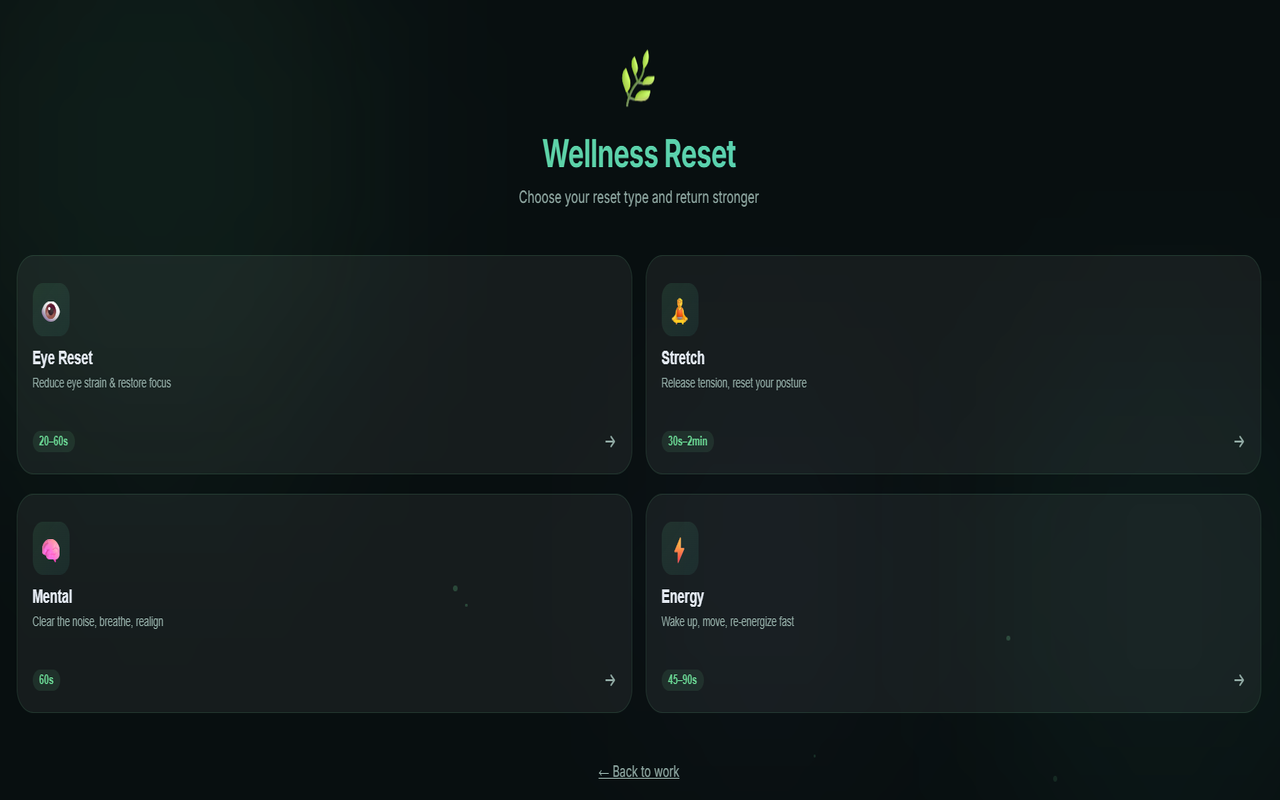
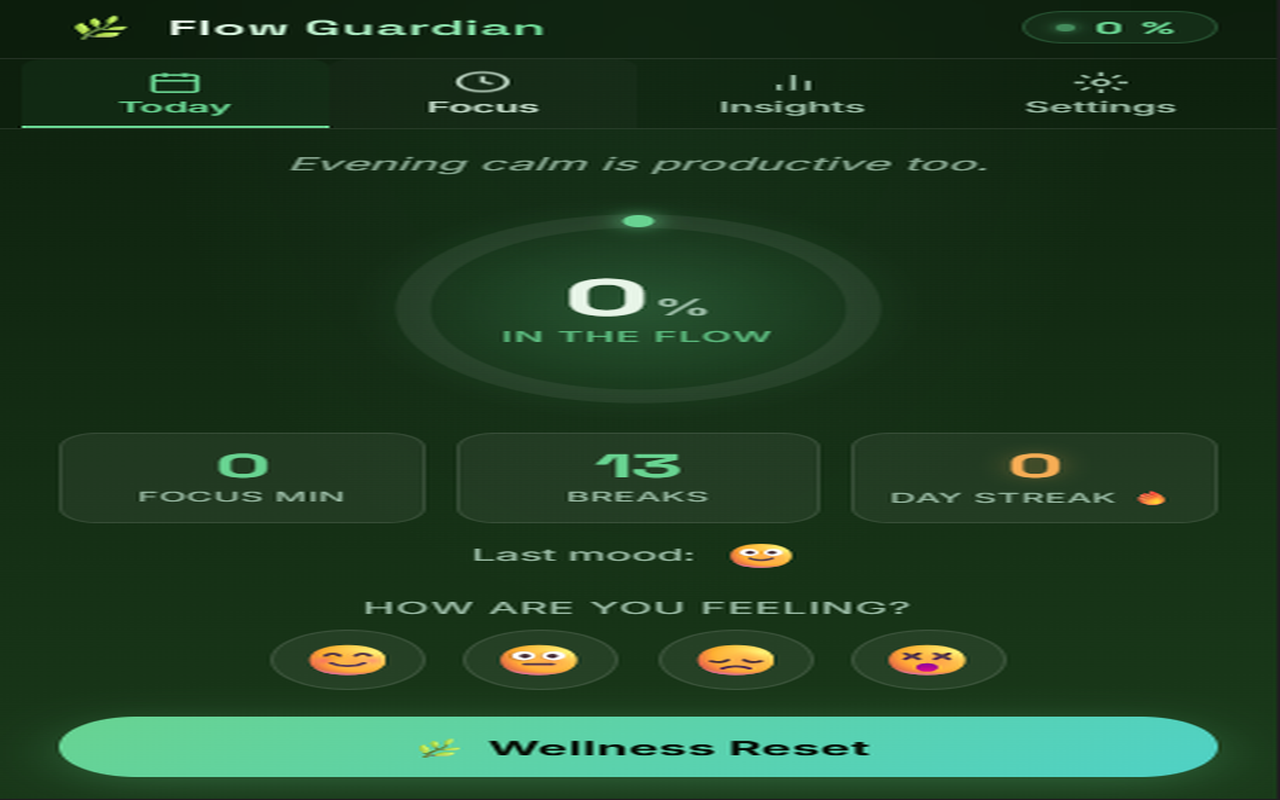
What’s New in v2.0 — Wellness Reset 🌿
The Wellness Reset is a full-page, guided reset experience. Click 🌿 Wellness Reset in the popup to launch it.
| Section | Tools included |
|---|---|
| 👁️ Eye Reset | 20-20-20 timer · Blink guide · Eye movement tracer · Soft focus & screen dim |
| 🧘 Stretch | Neck roll · Shoulder roll · Wrist stretch · Posture reset — with per-step cues |
| 🧠 Mental | 4-4-8 breathing canvas · Journaling prompts · 60-second focus countdown |
| ⚡ Energy | Movement challenges · 5-0-5 energising breath · Hydration checklist |
v2.1 — UX Improvements
| # | Feature | Where |
|---|---|---|
| ① | Mood input — 4 emoji buttons log how you feel each session | Today tab |
| ② | Notification click → opens Wellness Reset directly | System notifications |
| ③ | Real Insights charts — 7-day focus score + hourly tab-switch graph | Insights tab |
| ④ | Smart suggestion — fatigue ≥55 % auto-suggests the right reset type | Today tab |
| ⑤ | Break history — shows last 3 completed resets with time | Today tab |
All tools run locally — no data is ever sent anywhere.
Key Features
- 🧠 Fatigue Detection — Monitors browsing behaviour to detect mental fatigue and prompt timely breaks.
- 🌿 Wellness Reset — Four-section interactive guided reset: Eye, Stretch, Mental, and Energy.
- 👁️ Eye Reset — 20-20-20 rule timer, animated blink guide, eye movement tracer, and screen warm/dim filters.
- 🧘 Stretch Routines — Step-by-step neck, shoulder, wrist, and posture routines with circular progress.
- 🧠 Mental Toolkit — Canvas breathing animation, guided journal prompts, 60s focus reset countdown.
- ⚡ Energy Boost — Quick movement challenges, energising fast-breath, and hydration reminders.
- 🔔 Gentle Notifications — Soft break reminders that don’t interrupt your flow.
- 🎨 Minimal Dark UI — Glassmorphism, soft green gradients, and ambient particle effects.
Install
Get it directly from the Microsoft Edge Add-ons store:
How to Use
- Install the extension from the link above.
- Click the Flow Guardian icon in your toolbar.
- Click 🌿 Wellness Reset to open the full wellness page.
- Choose a reset type: Eye, Stretch, Mental, or Energy.
- Follow the interactive tools and return refreshed.
For Developers
Running Locally
- Clone the repo:
git clone https://github.com/your-username/the-flow-guardian.git cd the-flow-guardian - Load in Edge:
- Go to
edge://extensions - Enable Developer mode
- Click Load unpacked → select the cloned folder
- Go to
- Reload after changes:
- Go to
edge://extensions→ click the reload icon on The Flow Guardian
- Go to
Project Structure
| File / Folder | Purpose |
|---|---|
manifest.json |
Extension config — permissions, CSP, web-accessible resources |
background.js |
Service worker — alarms, notifications, badge updates |
content.js |
Injected into pages to detect fatigue signals |
popup.html / popup.js |
Main popup UI: Today, Focus, History, Settings tabs |
wellness.html / wellness.js / wellness.css |
New — Full-page Wellness Reset with Eye, Stretch, Mental, Energy sections |
reset.html |
Legacy minimal breathing reset page |
style.css |
Shared styles for popup |
modules/ |
Modular JS: fatigue engine, mood tracker, focus timer, etc. |
icons/ |
Extension icons (16 / 32 / 48 / 128 px) |
assets/ |
Screenshots for README |
Privacy
All browsing analysis and wellness data stays 100% local on your device. Nothing is stored externally or transmitted. Read our full Privacy Policy for details.
Contributing
Contributions are welcome!
- Open an issue to discuss your idea.
- Fork the repo and submit a pull request.
Purpose & Vision
In our fast-paced digital world, maintaining mental wellness is crucial. The Flow Guardian is built with a vision of promoting calm and focus through simple, accessible tools. It’s not about drastic changes — it’s about those small, meaningful pauses that help you stay balanced, productive, and kind to yourself.
Embrace the flow of life with gentle resets that nurture your well-being.